One Monitor Two Macbooks

  • 26 Aug, 2021

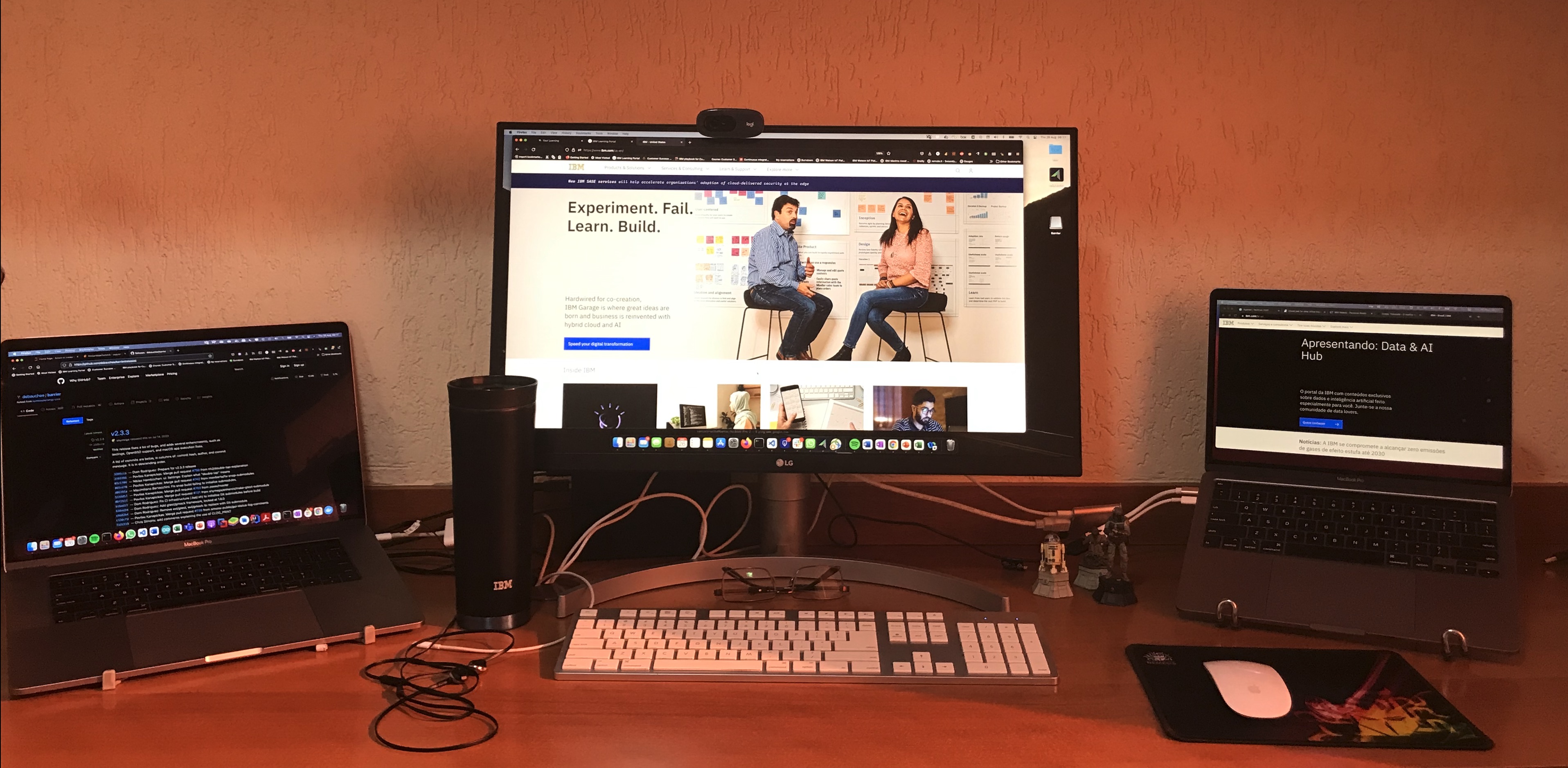
I have on my desk now 2 MacBooks Pro a monitor, a keyboard and a magic mouse. For the two computers to share the monitor, keyboard and mouse I should buy a KVM but I don’t want to have too many cables on the desk and also the cost of the KVM for the macbooks is too expensive for me in Brazil.

I found an interesting solution which was to connect each macbook using HDMI adapters to the monitor and use a software to switch the keyboard and mouse between the computers.

I’m testing Barrier and so far everything is working fine.

There is feature very cool :  You can copy and paste from one computer to another.

You can see this video and see how it works

Related Posts

How to Fix Error 513 When Unzipping Large Files on macOS

  • 25 Mar, 2025

If you’ve ever tried to unzip a large file on macOS and encountered the mysterious "Error 513," you’re not alone. This pesky error can pop up unexpectedly, leaving you scratching your head and wonderi

How to Fix Error 513 When Unzipping Large Files on macOSRead More

Python script to organize photos

  • 03 Mar, 2025

"I have lots of photo files. Since 2006, when I purchased my first digital camera, the number of photos has grown quickly, and after getting an iPhone, the number of photos exploded. With the high nu

Python script to organize photosRead More

How to Install watch on macOS Sequoia

  • 06 Feb, 2025

The watch command is a useful utility in Unix-like systems that allows you to execute a command periodically and display its output. However, macOS does not come with watch pre-installed. If you're ru

How to Install watch on macOS SequoiaRead More